SoulSync – Designing Calm in Chaos

A 48-hour hackathon project where I designed a mindfulness app to help professionals build sustainable meditation habits through simplicity, mood-based flows, and ambient UI.
Project Overview:

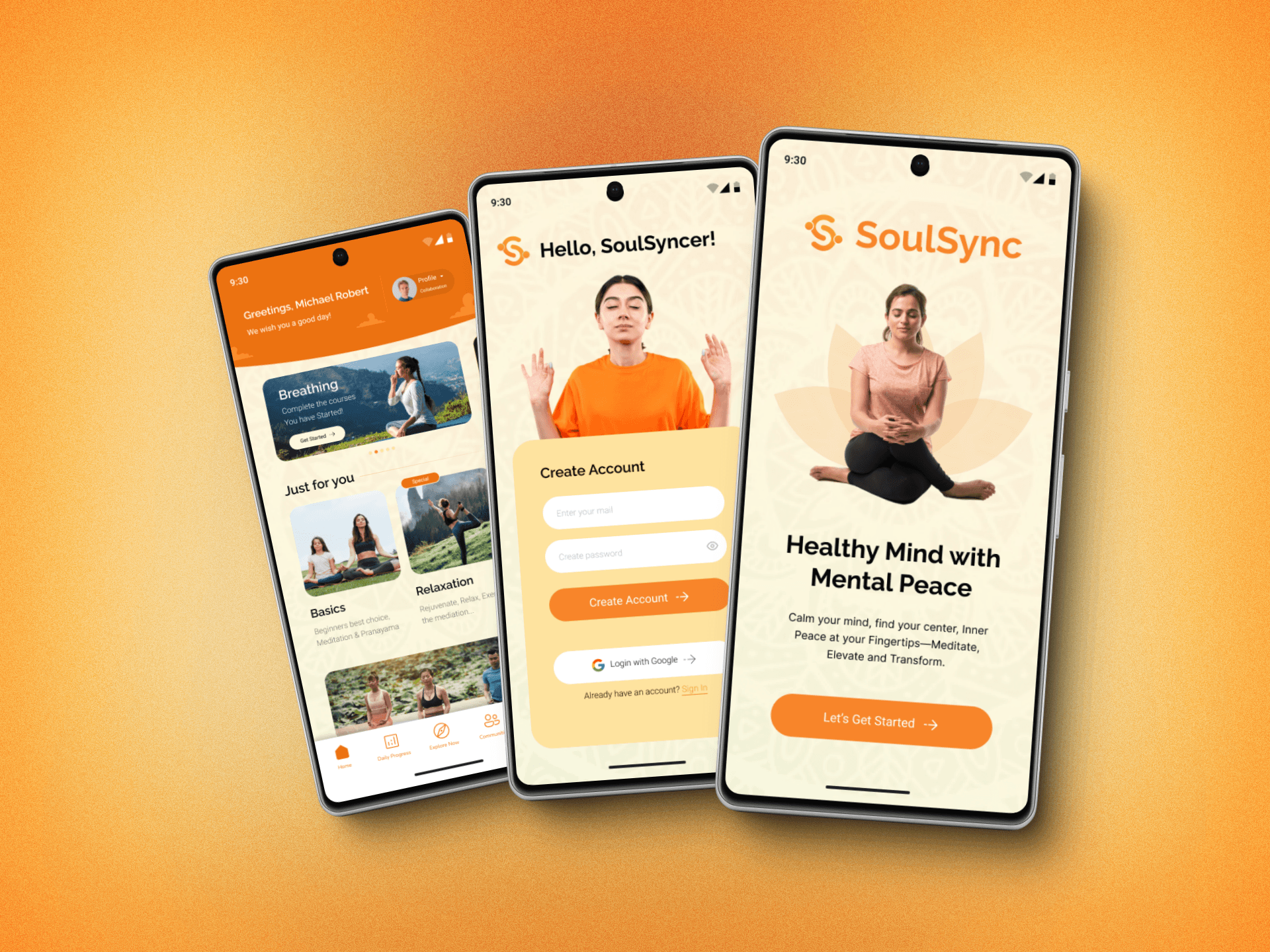
SoulSync is a mobile meditation app designed to support users in forming consistent mindfulness habits. Created within a 48-hour design hackathon, the project focused on delivering value quickly without sacrificing emotional depth.

Background:

Target users are busy professionals (ages 25–40) who face high digital and mental noise. Many struggle with mental wellness due to irregular routines, lack of focus, and screen fatigue. Meditation apps often overwhelm new users or require too much commitment upfront.

Brief/Challenge:

In a 48-hour design sprint, our team set out to build a wellness product that genuinely helps users integrate mindfulness into their fast-paced routines. The goal was to deliver a lightweight, practical, and delightful meditation tool without overwhelming users.

Objective:

  1. Understand users’ mental health struggles and meditation habits

  2. Create an engaging mobile experience tailored for daily use

  3. Build and prototype a product that could be scaled further post-hackathon
Process & Solution

Process & Solution

Process & Solution

Research & Understanding the Problem: We conducted quick user interviews with 5 working professionals aged 25–40, who often felt overwhelmed and found it hard to stick with mindfulness practices.
Key insights:

  • They lacked time and motivation to meditate regularly.

  • They preferred shorter, bite-sized guided sessions.

  • Habit-building was easier when tracking progress and getting reminders.


Insights: Conducted rapid interviews with 6 participants who tried meditation in the past

  • Top insight: “I don’t have the time to figure out what to do. I just want to press play.”

  • Mood-based meditation surfaced as a preferred trigger mechanism


Ideation & Exploration: Designed a minimalist onboarding flow to assess the user's current mood and recommend a personalized session

Explored 3 core features:

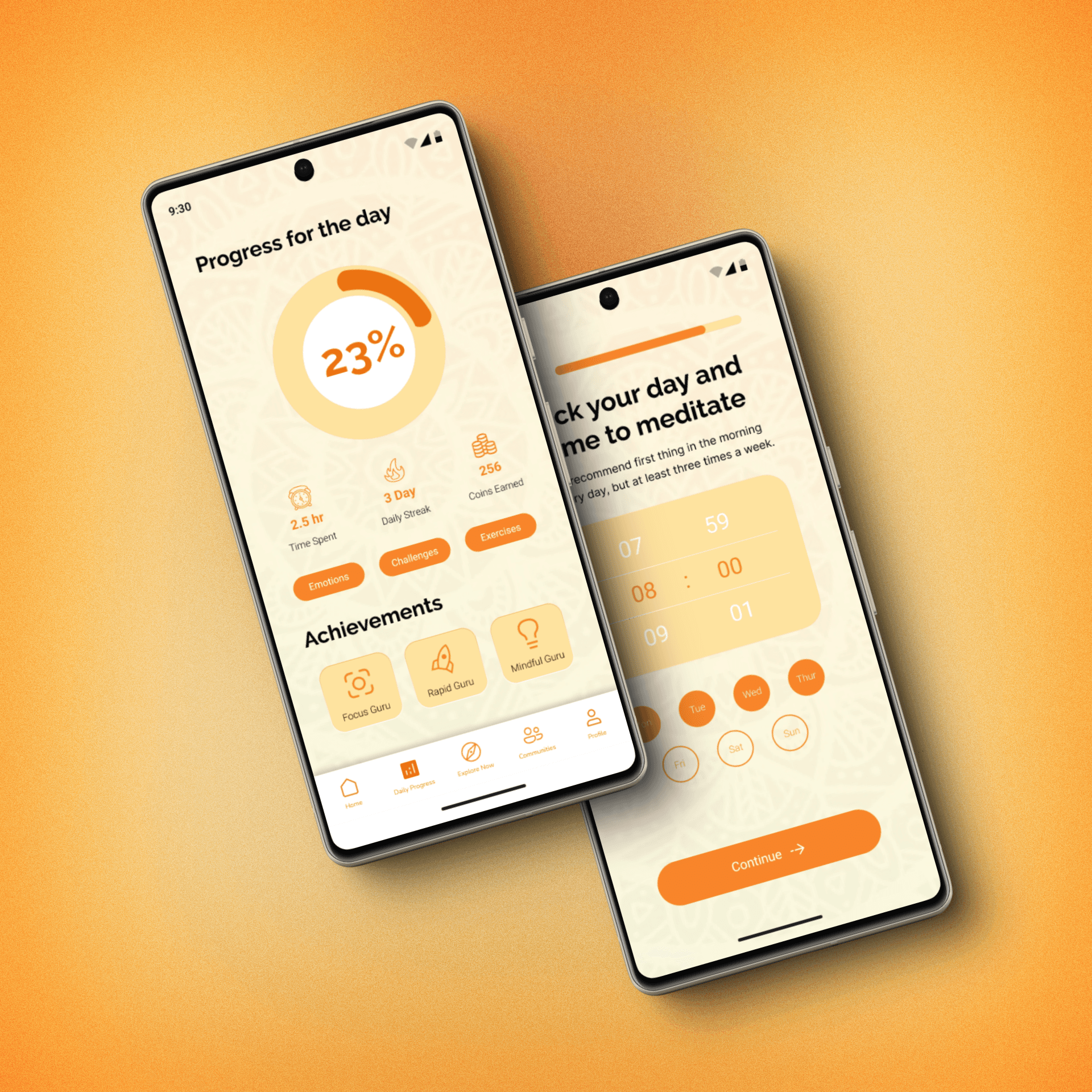
  1. Daily Calm (auto-recommended meditation)

  2. Mood Journal (log feelings before and after a session)

  3. Streak Tracker (motivate consistency)


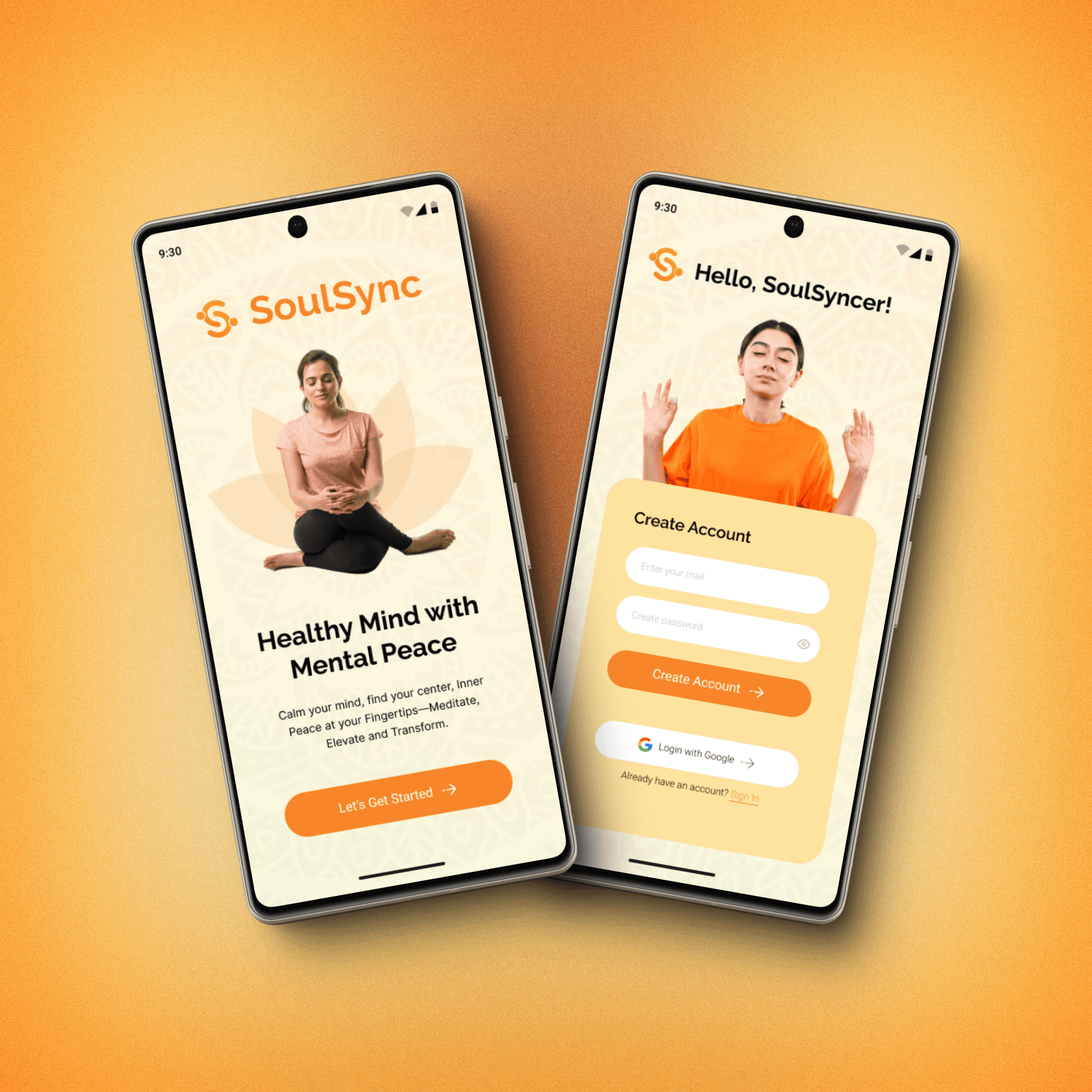
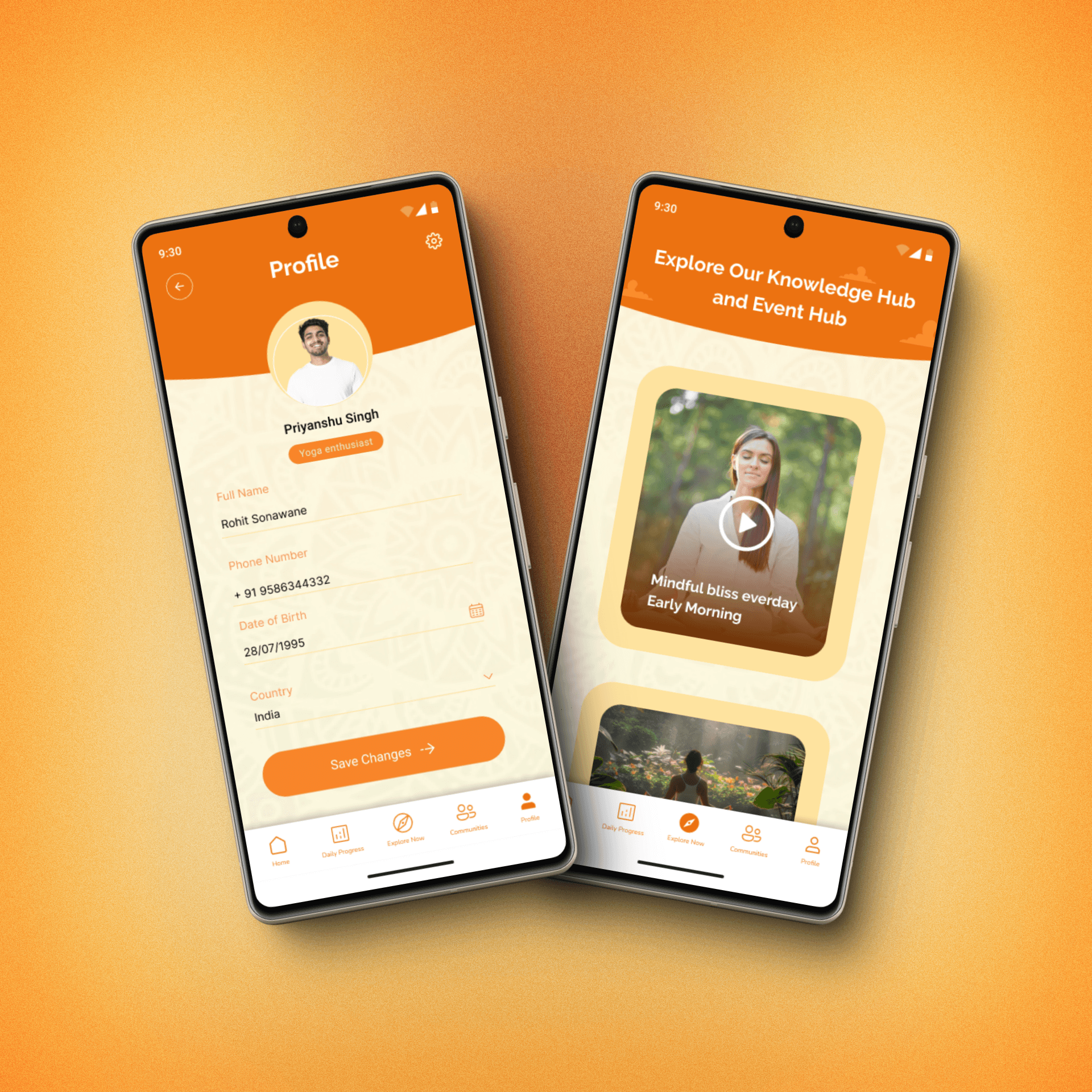
Visual Design & Style Guide: We chose warm tones like orange and soft beige to create a cozy, inviting interface. Rounded elements and illustrations conveyed ease and lightness.

Typography: Rounded, soft sans-serif
Icons: Calm and minimal
Imagery: Nature, meditation poses, soothing gradients
Empathy to Execution: Mapping Minds & Flows

Empathy to Execution: Mapping Minds & Flows

Empathy to Execution: Mapping Minds & Flows

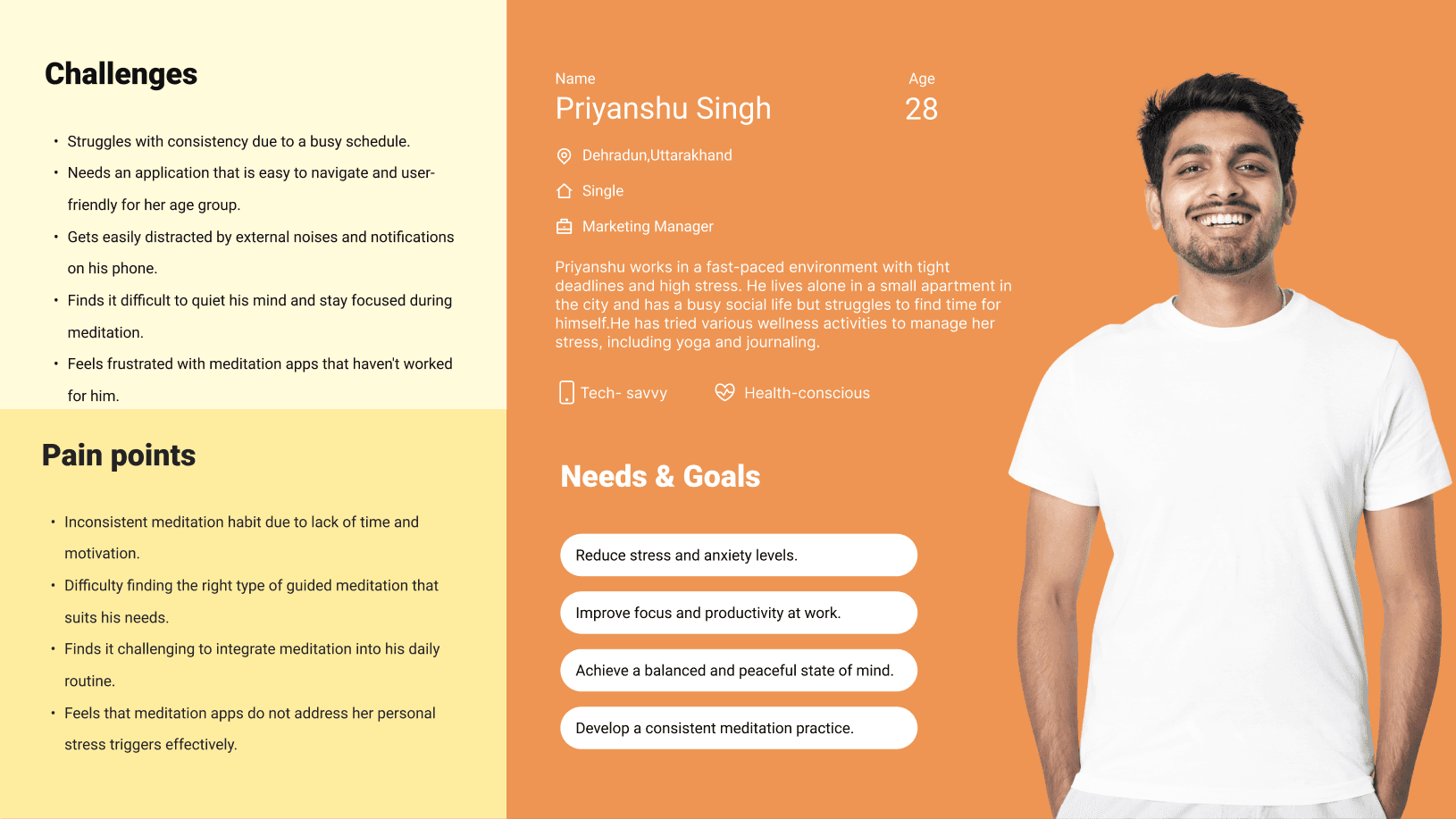
User Persona: To ensure we designed for real needs, we created two personas based on interviews with busy professionals aged 25–40 who struggle with maintaining mindfulness habits.
Persona 1: Arjun – The Silent Struggler

  • Age: 35

  • Occupation: Software Engineer

  • Pain Points: Poor sleep, anxiety during deadlines

  • Goals: Build a consistent meditation routine to improve mental clarity

  • Behavior: Prefers guided experiences and mood tracking

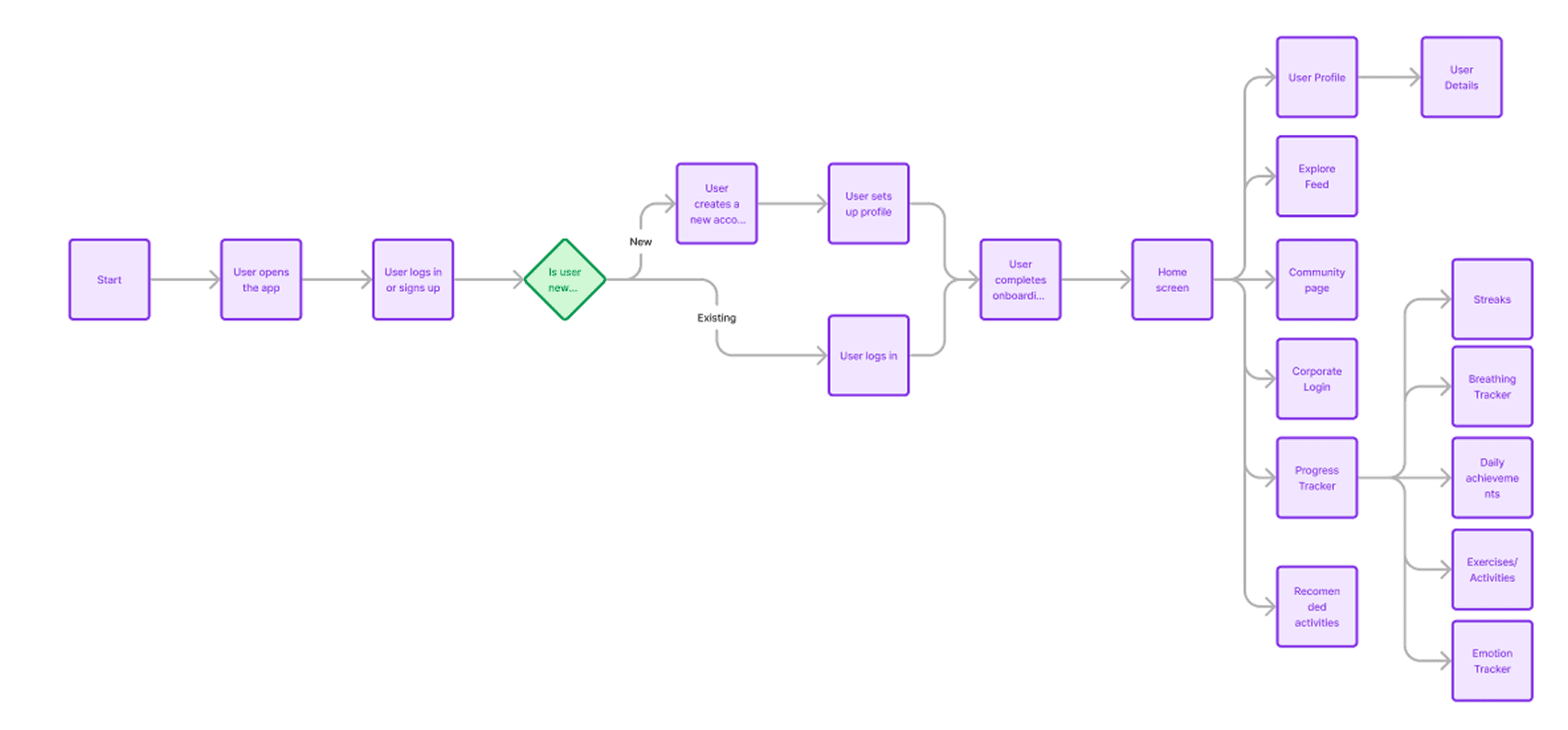
User Flow: We mapped out a lean, focused user journey from onboarding to first session completion, ensuring minimal friction and high motivation.

Core Flow:

Open App → Welcome + Goal Selection → Personalization (optional mood input) → Start Recommended Session → End with Optional Mood Tracking → View Progress / Continue

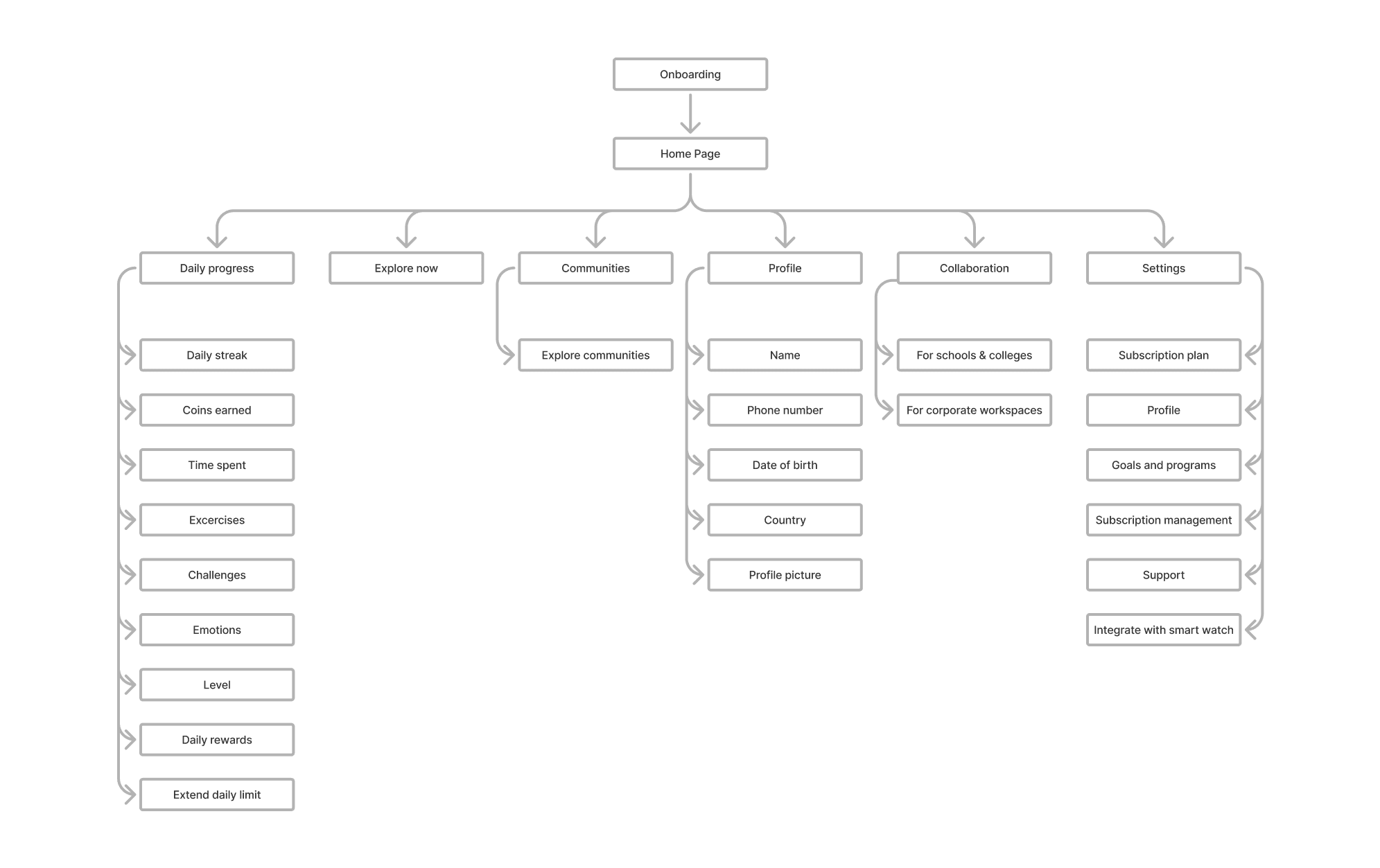
Information Architecture: To avoid overwhelming users, we created a clean IA using card sorting and feature grouping exercises.

Main Sections:

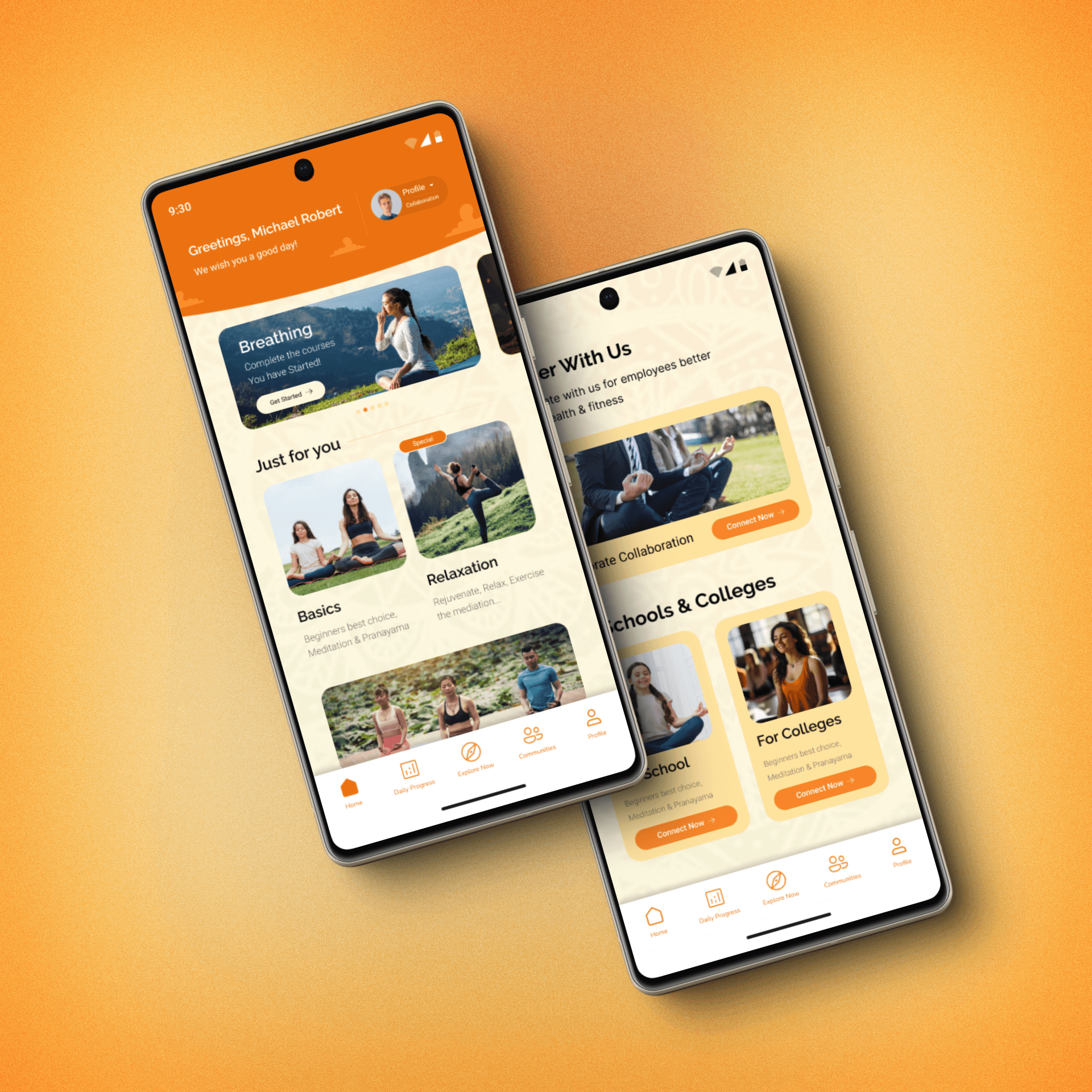
  • Home: Today’s session, quick access to "Continue"

  • Explore: Sessions by goal (Focus, Sleep, Anxiety, etc.)

  • Progress: Daily streaks, mood history

  • Profile: Preferences, notification settings, goals

The architecture reflects user intent—start fast, explore deeper if desired, and track mindfulness as a habit.


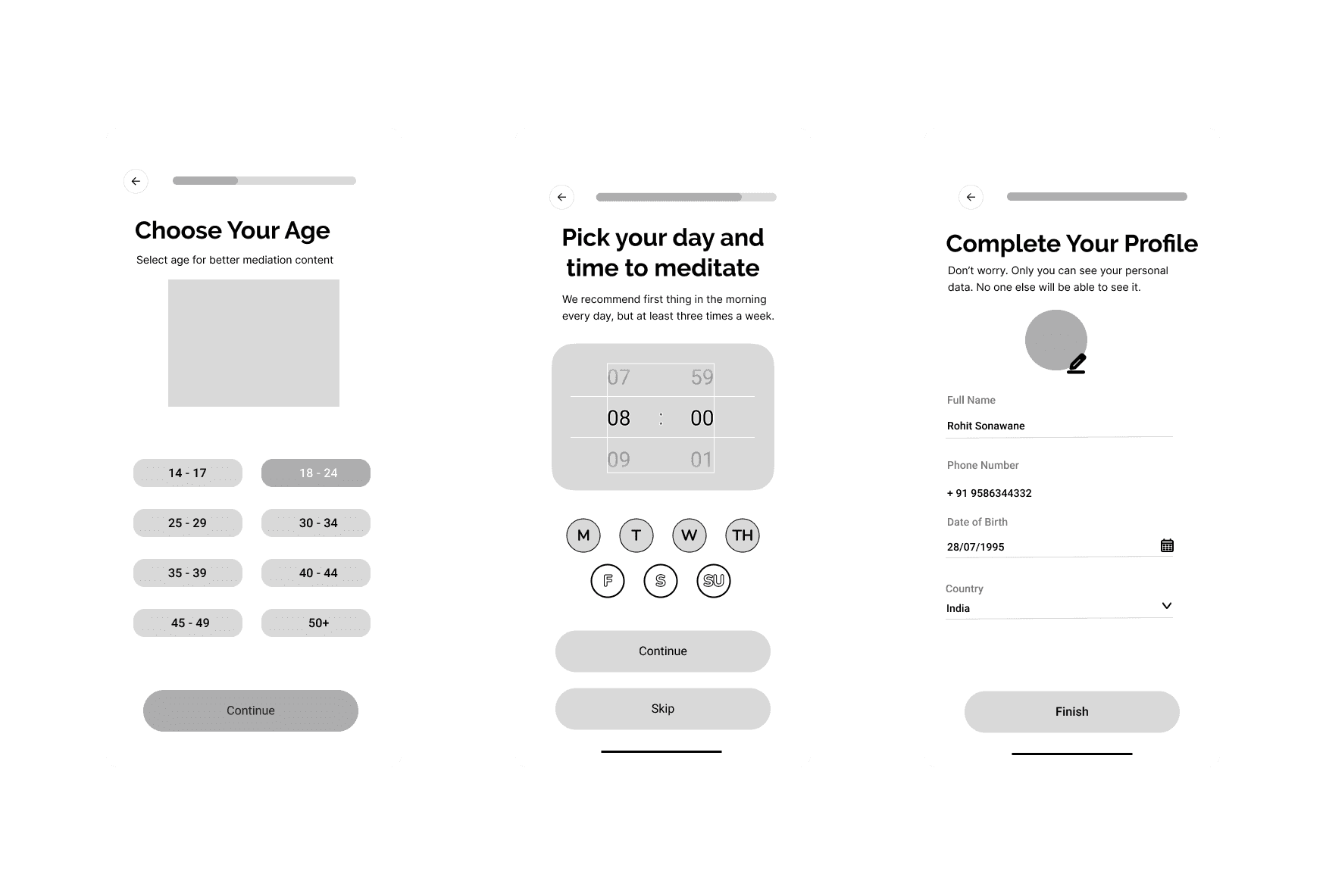
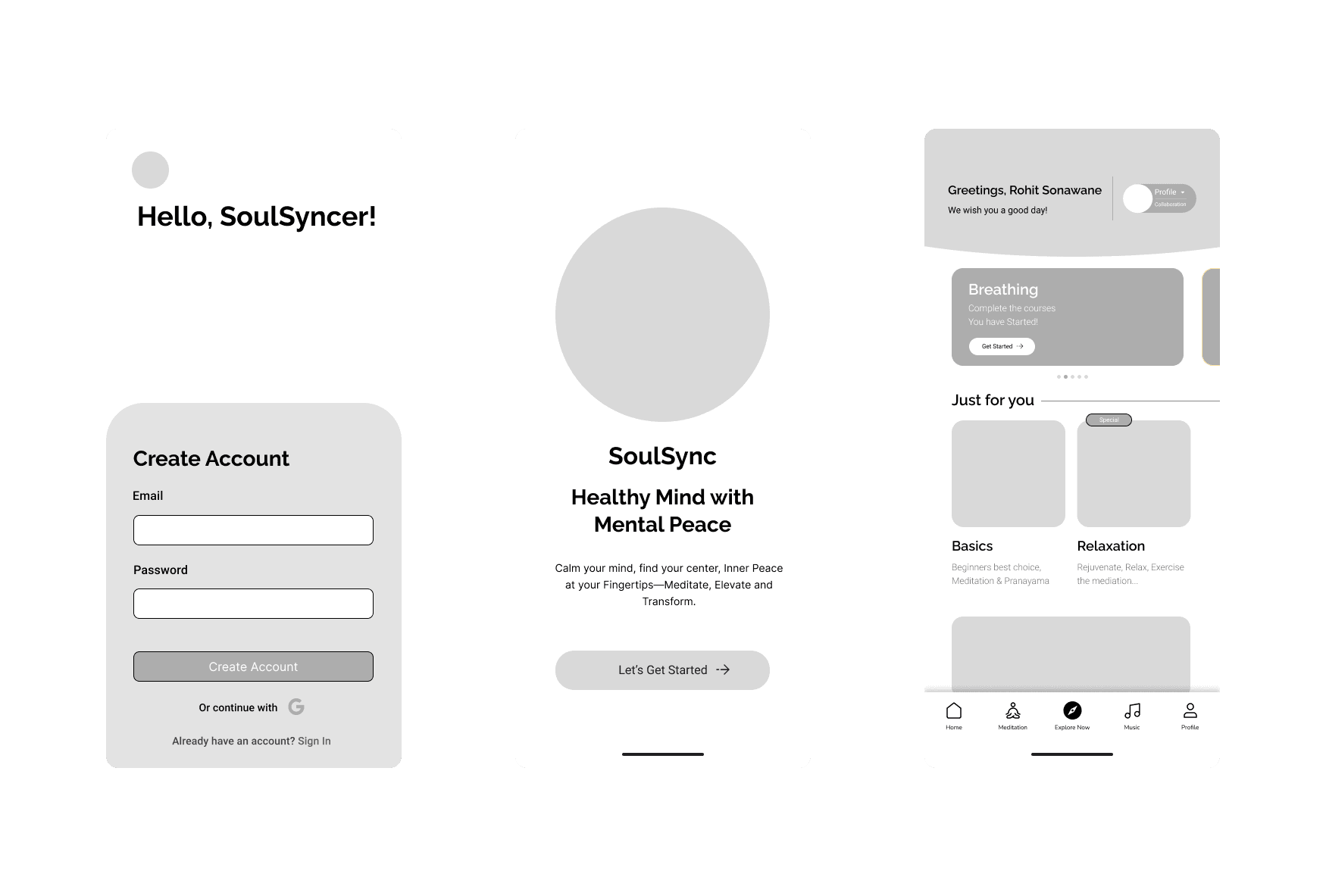
Wireframes: Wireframes served as a blueprint for quick iterations during the hackathon. We sketched and tested layouts that:

  • Reduced onboarding steps to 3 screens

  • Used full-width cards for session suggestions

  • Prioritized "1-tap to meditate" logic

  • Placed mood tracking after sessions for emotional clarity

  • Featured minimalist bottom nav for reachability

We validated wireframe clarity with peers in early tests and improved CTA visibility and layout spacing based on feedback.

User Persona: To ensure we designed for real needs, we created two personas based on interviews with busy professionals aged 25–40 who struggle with maintaining mindfulness habits.
Persona 1: Arjun – The Silent Struggler

  • Age: 35

  • Occupation: Software Engineer

  • Pain Points: Poor sleep, anxiety during deadlines

  • Goals: Build a consistent meditation routine to improve mental clarity

  • Behavior: Prefers guided experiences and mood tracking

User Flow: We mapped out a lean, focused user journey from onboarding to first session completion, ensuring minimal friction and high motivation.

Core Flow:

Open App → Welcome + Goal Selection → Personalization (optional mood input) → Start Recommended Session → End with Optional Mood Tracking → View Progress / Continue

Information Architecture: To avoid overwhelming users, we created a clean IA using card sorting and feature grouping exercises.

Main Sections:

  • Home: Today’s session, quick access to "Continue"

  • Explore: Sessions by goal (Focus, Sleep, Anxiety, etc.)

  • Progress: Daily streaks, mood history

  • Profile: Preferences, notification settings, goals

The architecture reflects user intent—start fast, explore deeper if desired, and track mindfulness as a habit.


Wireframes: Wireframes served as a blueprint for quick iterations during the hackathon. We sketched and tested layouts that:

  • Reduced onboarding steps to 3 screens

  • Used full-width cards for session suggestions

  • Prioritized "1-tap to meditate" logic

  • Placed mood tracking after sessions for emotional clarity

  • Featured minimalist bottom nav for reachability

We validated wireframe clarity with peers in early tests and improved CTA visibility and layout spacing based on feedback.

User Persona: To ensure we designed for real needs, we created two personas based on interviews with busy professionals aged 25–40 who struggle with maintaining mindfulness habits.
Persona 1: Arjun – The Silent Struggler

  • Age: 35

  • Occupation: Software Engineer

  • Pain Points: Poor sleep, anxiety during deadlines

  • Goals: Build a consistent meditation routine to improve mental clarity

  • Behavior: Prefers guided experiences and mood tracking

User Flow: We mapped out a lean, focused user journey from onboarding to first session completion, ensuring minimal friction and high motivation.

Core Flow:

Open App → Welcome + Goal Selection → Personalization (optional mood input) → Start Recommended Session → End with Optional Mood Tracking → View Progress / Continue

Information Architecture: To avoid overwhelming users, we created a clean IA using card sorting and feature grouping exercises.

Main Sections:

  • Home: Today’s session, quick access to "Continue"

  • Explore: Sessions by goal (Focus, Sleep, Anxiety, etc.)

  • Progress: Daily streaks, mood history

  • Profile: Preferences, notification settings, goals

The architecture reflects user intent—start fast, explore deeper if desired, and track mindfulness as a habit.


Wireframes: Wireframes served as a blueprint for quick iterations during the hackathon. We sketched and tested layouts that:

  • Reduced onboarding steps to 3 screens

  • Used full-width cards for session suggestions

  • Prioritized "1-tap to meditate" logic

  • Placed mood tracking after sessions for emotional clarity

  • Featured minimalist bottom nav for reachability

We validated wireframe clarity with peers in early tests and improved CTA visibility and layout spacing based on feedback.

Conclusion

This project taught me that true calm in UX comes from reducing decisions, not just pretty visuals. Prioritizing user feelings over features led to a product that feels personal, even in its prototype state.

Book a personal session to get
career guidance, feedback, or design support.

Let's Connect

Rohit Sonawane - UI/UX Designer

©Rohit Sonawane 2025